Photo cleanup guide
How to free up iPhone storage without losing the photos you care about
Use a simple review process to clear screenshots, duplicates, and unwanted photos while keeping control of every decision.
By Pikondo team · Updated October 5, 2026
The safest way to free iPhone storage is to review your photos in small groups, keep only the ones you want, and check the Recently Deleted album before you remove anything permanently.
Start with the photos that are easiest to remove
Screenshots, accidental captures, and near-duplicate images often take space without adding much value. Begin with one group instead of trying to clean your entire library at once.
A short, focused session makes each decision easier. It also reduces the chance that you remove a photo you want to keep.
Use a simple review process
- Choose one category, such as screenshots or similar photos.
- Review one image at a time and decide whether to keep it or mark it for deletion.
- Pause after a small batch and review the items you marked before you confirm the deletion.
- Check the Recently Deleted album before you permanently remove anything you may need later.
How Pikondo helps
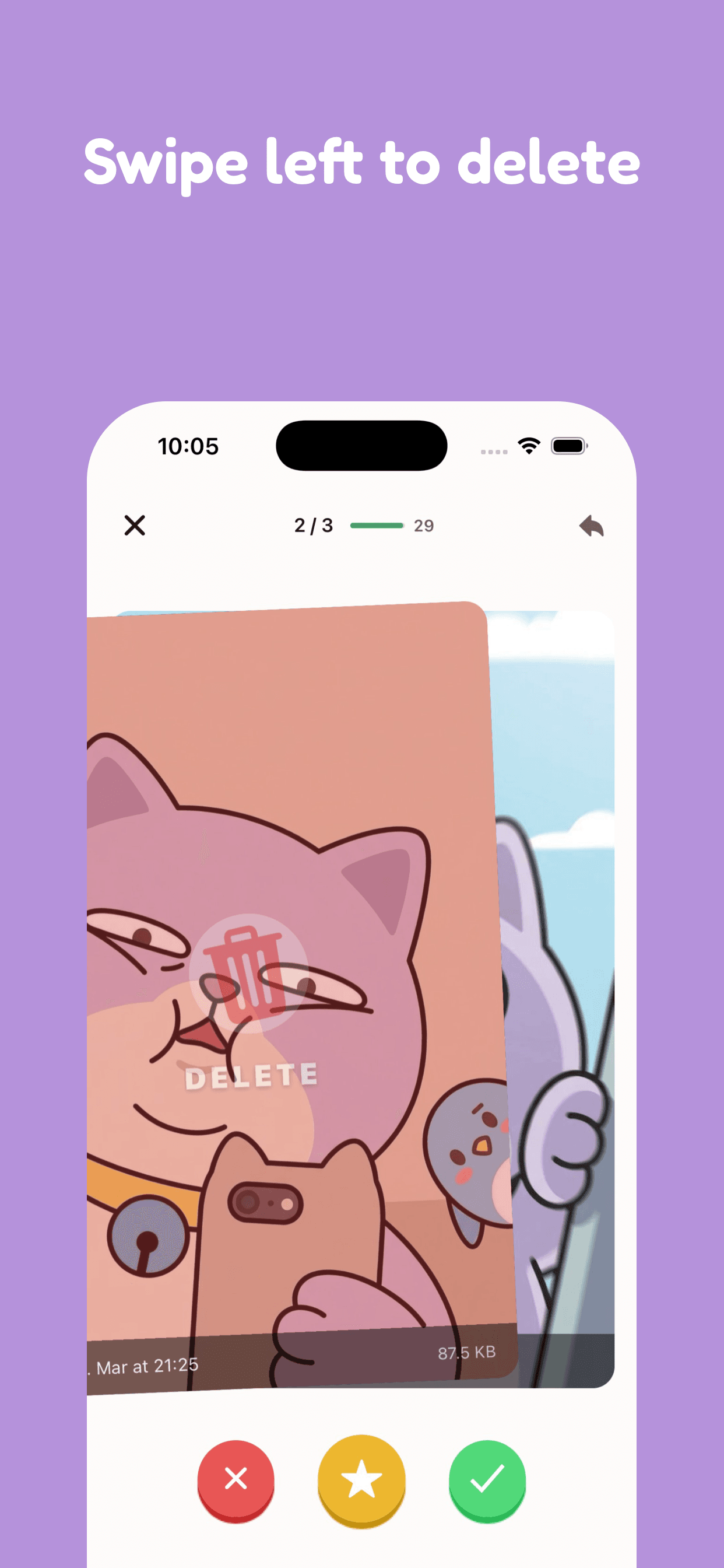
Pikondo turns photo cleanup into a swipe-by-swipe review. Swipe right to keep a photo and left to mark it for deletion. You can review the choices before you confirm them.
Pikondo also helps you find similar photos, blurry photos, and screenshots. Your photo library stays on your device during the review process.
A practical weekly habit
- Spend five minutes on screenshots after a busy week.
- Review similar shots after a trip or event.
- Clear confirmed deletions only after you are sure you do not need to recover them.
- Repeat the process in small sessions instead of waiting for a storage warning.
Related guides
For apps and photo cleanup next to freeing iPhone storage, see checking iPhone storage at /blog/how-to-check-iphone-storage, optimizing iPhone Storage at /blog/optimize-iphone-storage, iPhone videos taking up storage at /blog/iphone-videos-taking-up-storage, iPhone storage full after deleting photos at /blog/iphone-storage-full-after-deleting-photos, reducing iPhone storage at /blog/reduce-iphone-storage, turning off Live Photos on iPhone at /blog/turn-off-live-photos-iphone, clearing Other storage on iPhone at /blog/clear-other-storage-iphone, iPhone storage almost full at /blog/iphone-storage-almost-full, managing iPhone storage at /blog/manage-iphone-storage, clearing cache on iPhone at /blog/clear-cache-iphone, clearing Safari cache on iPhone at /blog/clear-safari-cache-iphone, offloading unused apps at /blog/offload-unused-apps-iphone, freeing iCloud storage at /blog/free-up-icloud-storage, deleting photos at /blog/how-to-delete-photos-iphone, deleting duplicates at /blog/delete-duplicate-photos-iphone, keeping the best burst frames at /blog/burst-photos-iphone, clearing screenshots at /blog/delete-iphone-screenshots, removing blurry shots at /blog/delete-blurry-photos-iphone, emptying Recently Deleted at /blog/empty-recently-deleted-photos-iphone, compressing or sharing smaller copies at /blog/compress-photos-iphone, organizing keepers at /blog/organize-photos-iphone, transferring photos to a PC at /blog/transfer-photos-iphone-to-pc, hiding photos (privacy, not storage) at /blog/hide-photos-iphone, and recovering from Recently Deleted at /blog/recover-deleted-photos-iphone.
The key point
You do not need to delete everything to regain space. A clear routine helps you remove what you do not need while keeping the photos that matter.
Frequently asked questions
- How do I free up iPhone storage without losing photos I care about?
- Review your library in small groups. Start with screenshots, accidental captures, and near-duplicates. Keep the photos you want, mark the rest for deletion, then check Recently Deleted before anything is removed permanently.
- Does Pikondo delete photos as soon as I swipe?
- No. Swipe right to keep a photo and left to mark it for deletion. You can review those choices before you confirm them.
- Does Pikondo keep my photo library on my iPhone?
- Yes. Your photo library stays on your device during the review process. Pikondo helps you find similar photos, blurry photos, and screenshots, then you decide what to keep.
- What is the safest way to clean up iPhone photos?
- Work in short sessions. Choose one category, review one image at a time, pause after a small batch, and only confirm deletions after you are sure you do not need to recover them.
